AI-native Slides: A Best Practice for Slide Making in the Agent Era
Why I now prefer Feishu Docs + lark-cli and Slidev for agent-assisted slide work, instead of starting directly from PPTX.
TL;DR
GitHub: OpenCodexLabs/ai-native-slides. This is the companion agent skill repository for the workflow described in this note.
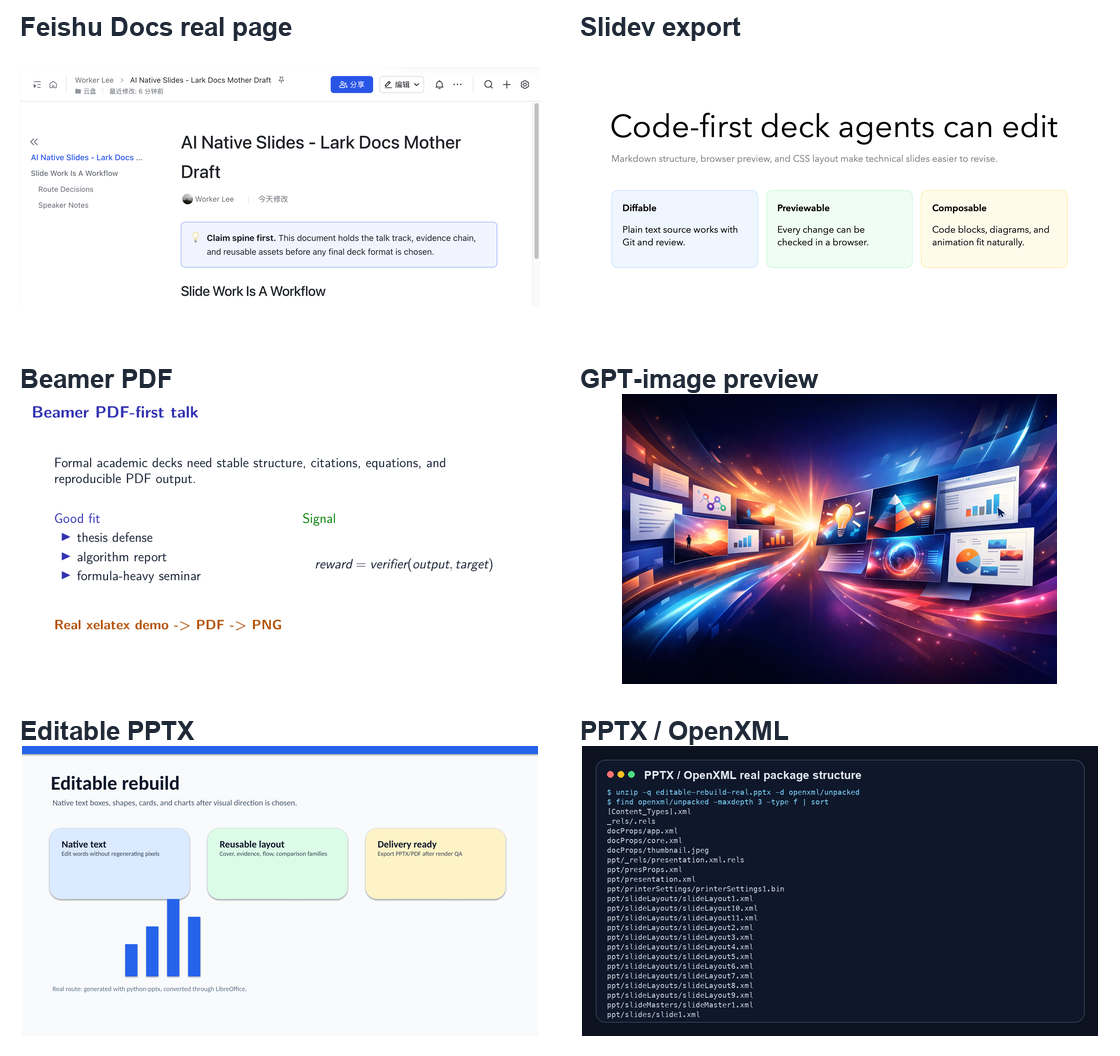
If the goal is to let an AI agent participate deeply in long-running slide work, my current recommendation is not “generate a PPTX in one shot.” I would start from two agent-native tracks: Feishu Docs + lark-cli and Slidev. Feishu Docs works best as a document-style slide mother draft, talk track, evidence archive, and asset pool. Slidev works best as code-first, versionable, web-previewable technical slides. Beamer is still worth considering for formal, rigorous, PDF-first academic talks. PPTX remains important, but I now see it more as a final compatibility format than as the main working surface.
In one sentence: the agent-era slide problem is not file generation; it is expression engineering. A good workflow should help me clarify claims, organize assets, explore visual styles, rebuild editable slides, run render QA, and finally deliver a deck that is easy to present, revise, and share.
The daily pain is not “I cannot make slides”
When I prepare technical talks, the most painful part is rarely the absence of content. The pain is that the material keeps changing. Today I need an extra impact slide; tomorrow I need to expand an experimental detail; the day after tomorrow I want to reorganize the story from a “technical stack” narrative into a “project evidence” narrative. PowerPoint is comfortable at the moment of presentation, but during this iterative thinking phase, I often feel that I am no longer refining the argument. I am fighting text boxes, master layouts, page numbers, image crops, font substitution, and export previews.
This experiment started from a concrete technical presentation draft around visual-agent project materials. I had an old 44-page PPTX, more than 70 image elements extracted from it, several Slidev drafts, a Feishu document with notes and assets, and later an image-first 40-page PPT preview. The real question quickly shifted from “Can an agent make slides?” to a more practical one: when the material changes every day, which representation is actually comfortable for me and an agent to revise together?
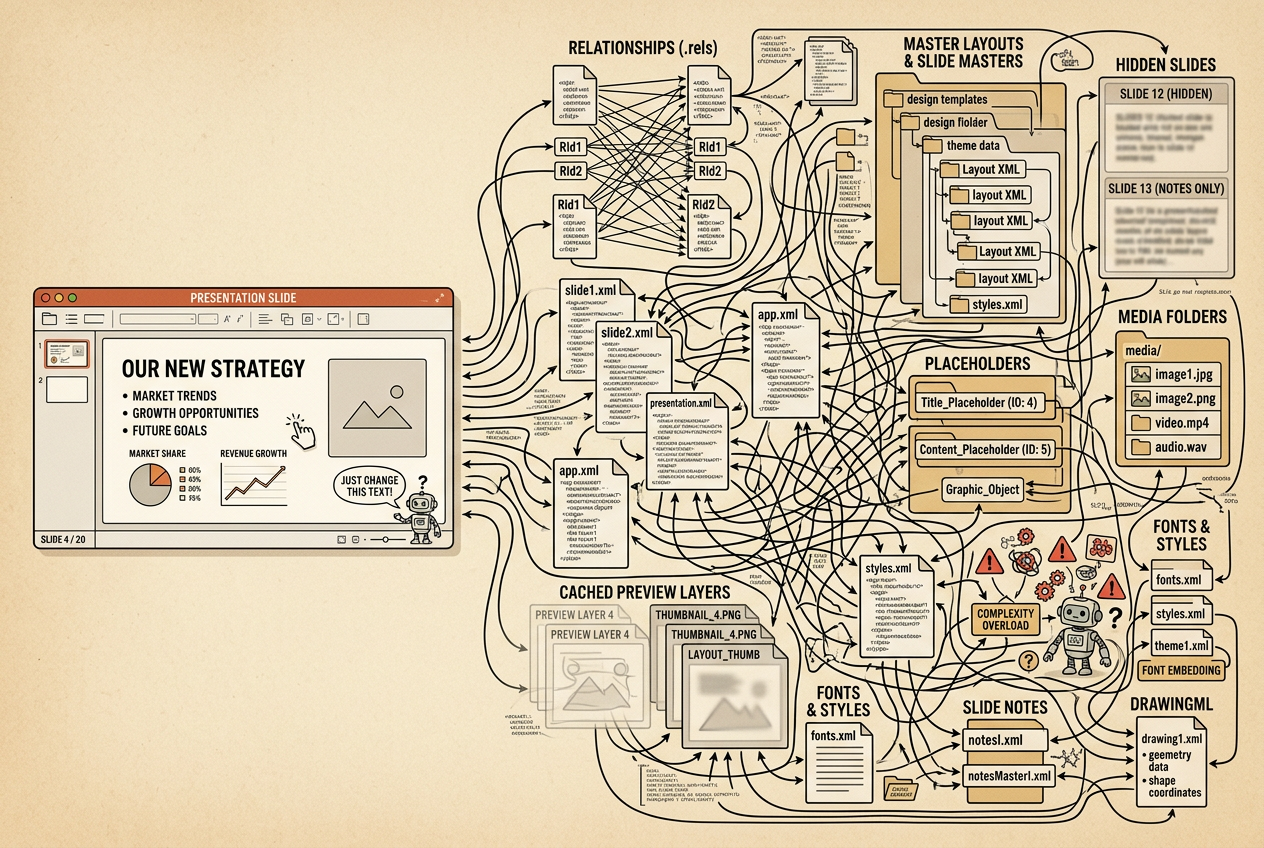
PPTX is editable, of course. But it is not a simple single-file canvas. A small change such as unifying page numbers, replacing a title, or moving a visual asset can involve OpenXML, relationship files, themes, layouts, masters, media folders, placeholders, hidden slides, and PowerPoint cache behavior. Agents can manipulate these structures, but each modification comes with the risk of inheritance, placeholders, stale previews, and Office compatibility. That is a heavy working surface for early-stage iteration.
The routes I actually tried
This was not an abstract tool comparison. It was a fairly messy migration process. At the beginning, I only had an old 44-page PPTX with project screenshots, paper figures, chat records, impact evidence, and lots of manually tuned layout. My first instinct was obvious: why not let the agent directly edit the PPTX? But once I started, I realized that “possible to edit” and “pleasant to co-edit over time” are very different things.
First stop: native PPTX / OpenXML. I started from the PPTX itself. A small request like “make page numbers consistent from 1 to 44” turned out to involve slide number placeholders, normal text boxes, master layouts, hidden slides, and PowerPoint’s in-memory cache. The first attempt wrote slide numbers through the built-in slide-number placeholder, but it did not always show up as expected. The later version used explicit text boxes and cleaned up the old master/layout numbers. It worked in the end, but the lesson was clear: PPTX is a strong final delivery format, not a comfortable high-frequency thinking format.
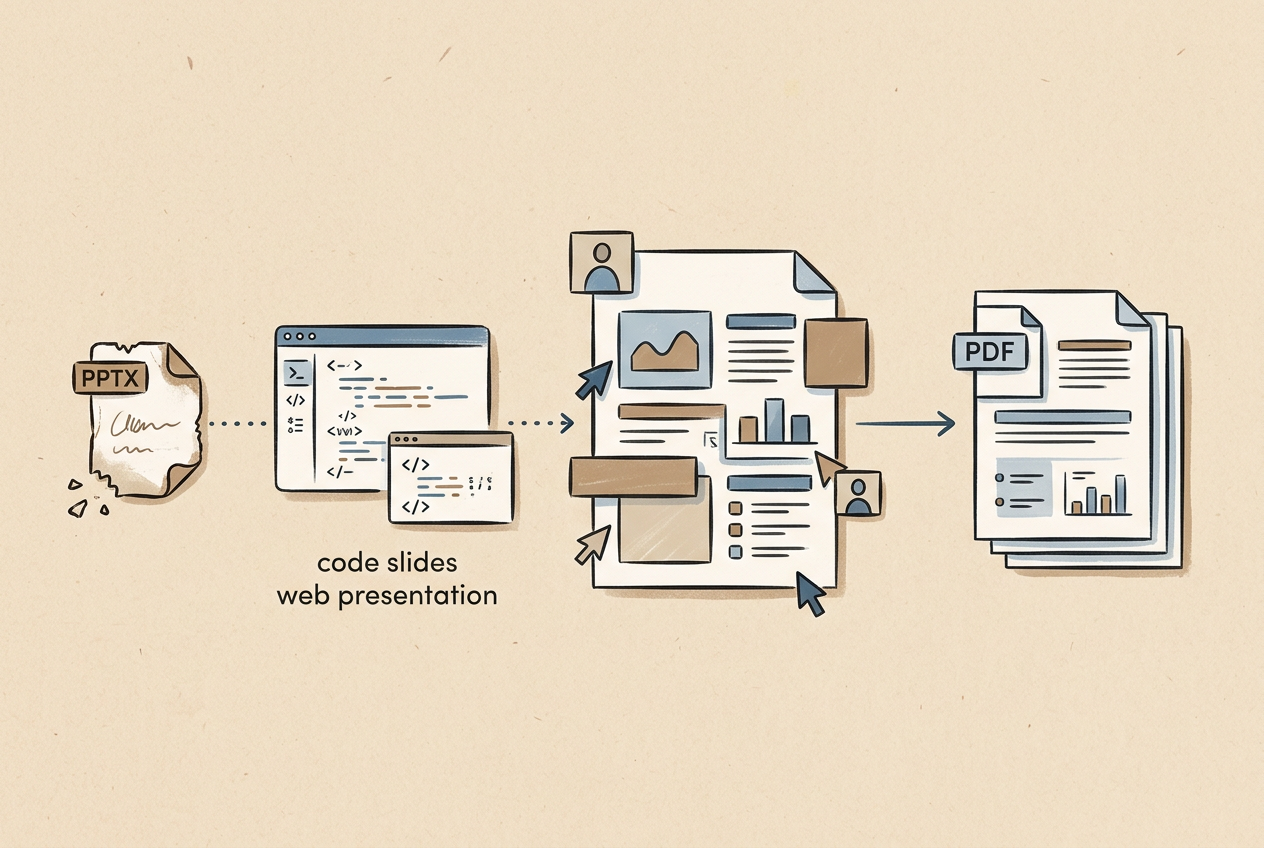
Second stop: Slidev. Because PPTX XML felt heavy, I moved to Slidev. The experience immediately improved. Markdown, HTML, and CSS are natural for agents: searchable, diffable, and easy to preview in a browser. I even tried an editable reconstruction from the original PPTX: extracting text boxes, images, and coordinates, then placing them back into Slidev instead of using full-page screenshots. That felt close to the idea of agent-native slides. Still, Slidev is not frictionless. Overview panels, page numbers, black borders, mouse wheel behavior, PDF export, and precise image placement all needed tuning. It is great for technical slides, but it still consumes layout attention when the presentation needs to be highly polished.
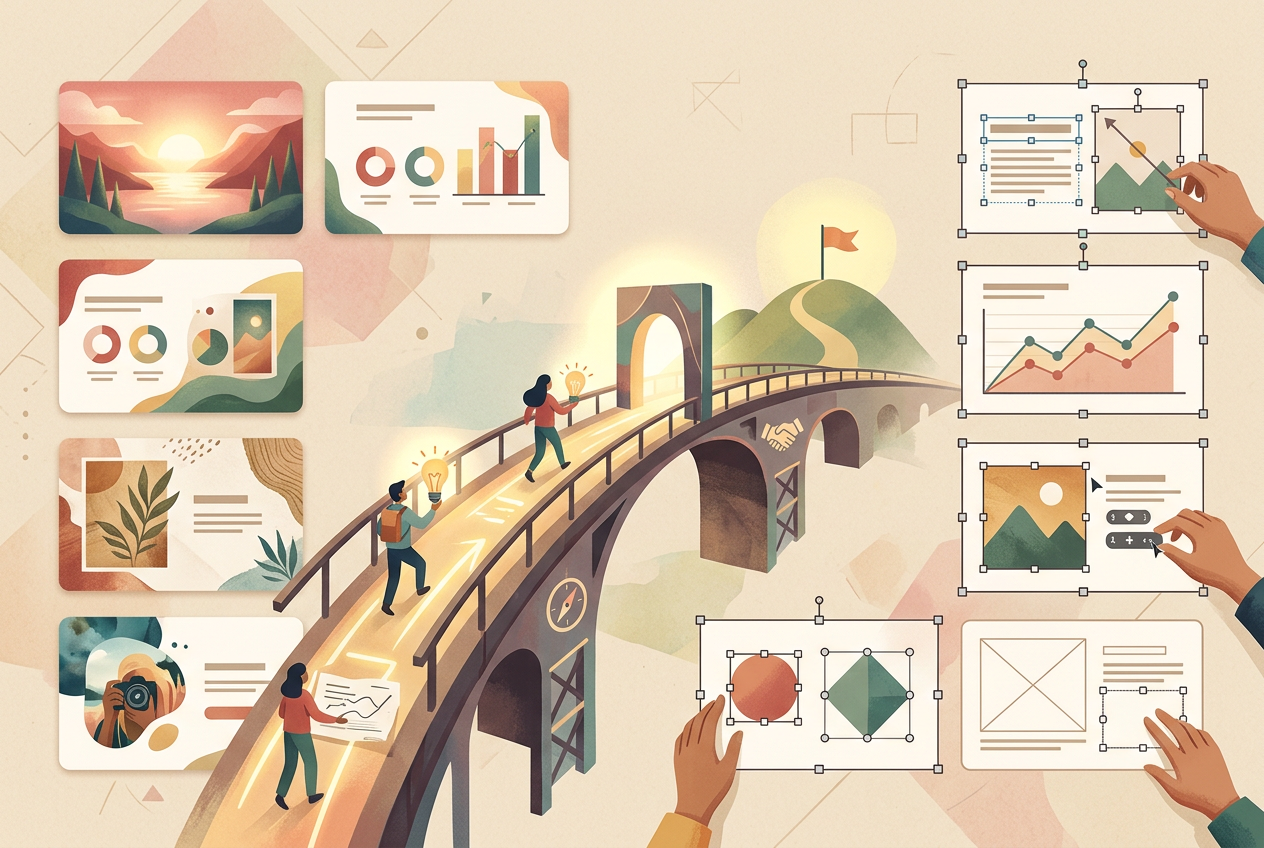
Third stop: Feishu Docs + lark-cli. This was the biggest surprise. I originally only wanted to test whether a Feishu document could be edited through the CLI. It turned out to be an excellent “document-style slide” canvas. I moved the visual-agent technical material into Feishu Docs, added scene-like separators, callouts, tables, project figures, and a research-roadmap whiteboard. I also inserted all 73 extracted PPTX image elements into an appendix so that I could copy and reuse them later. Feishu Docs was not the most PowerPoint-like format, but it was the most comfortable human-agent co-editing surface: I could adjust things in the browser, while the agent could use lark-cli to replace blocks, insert images, move sections, and update whiteboards.
Fourth stop: Feishu Slides. I also tried the Feishu slides route. The result was mixed. It could create and write slides, but reading slides created through the normal UI and staying compatible with existing page structures was less stable. For agent work, the Feishu Docs block model was more reliable. Feishu Slides is closer to a final presentation tool, but I would not yet use it as the primary editing surface.
Fifth stop: Beamer. I then tried a more academic, PDF-first route. I generated a 19-page Beamer prototype from the Chinese Slidev draft and the extracted PPTX assets. It compiled, and the structure was clean. But it also revealed a mismatch: if I simply re-layout the content in Beamer, it becomes a different deck rather than a reconstruction of the original material. Beamer is excellent for thesis defenses, academic talks, and algorithm reports, especially when formulas matter. But for a visually heavy pitch with screenshots, impact evidence, and commercial storytelling, it is not always the most natural first choice.
Sixth stop: image-first PPT. I also tried an image-first PPT generation route, including a 40-page visually coherent deck. The upside was obvious: fast, polished, and useful for seeing the overall style. The limitation was equally obvious: the text and layout were baked into images, not native editable objects. It is great for visual exploration and preview. But once I need to change a sentence on slide 17, move a legend slightly, or update a project name, editable-first becomes much more comfortable.
After trying these routes, I no longer think the question is “which tool wins.” The real lesson is: agent-native slides require different representations at different stages. Early stages need documents and code to hold thinking. Middle stages can use image-first drafts to explore visual direction. Final stages should rebuild into deliverable PDF / PPTX / web slides.
| Route | What I actually experienced | What I kept from it |
|---|---|---|
| PPTX / OpenXML | Precise edits are possible, but masters, layouts, placeholders, hidden slides, and cache behavior add debugging cost. | Good final compatibility format; poor early-stage iteration surface. |
| Slidev | Agent-friendly, browser-previewable, and suitable for editable reconstruction; still requires layout and presentation tuning. | Best for technical slides and code-first decks. |
| Feishu Docs + lark-cli | Stable for notes, evidence chains, whiteboards, asset pools, and block-level updates. | Best mother-draft format for human-agent co-editing. |
| Feishu Slides | Can create and write slides, but less stable than docs for reading and UI compatibility. | Worth watching, but not my primary route yet. |
| Beamer | PDF-first and academically rigorous, but re-layout can lose the visual feeling of the source deck. | Good for formal academic talks; not always ideal for visual pitch decks. |
| Image-first PPT | Great for quickly seeing visual style, but painful for later text-by-text editing. | Best for preview and visual exploration, not for final maintenance. |
Image-first vs. editable-first
Slide creation often confuses two different goals: making something that looks like a good deck, and making something that can be reliably modified later. The first is image-first; the second is editable-first.
Image-first treats each slide as a complete visual composition. It is fast, polished, and consistent. It is excellent for covers, impact pages, framework diagrams, flow charts, and concept art. But once text and layout are baked into an image, changing one number or moving one caption becomes expensive.
Editable-first keeps text boxes, images, tables, and shapes as editable objects. PPTX, Feishu Docs, Slidev, and Beamer all live somewhere in this space. They support long-term maintenance and local edits, but require more effort to reach visual polish.
My current answer is not either/or: use image-first to explore visual direction early, use document/code formats to stabilize structure, and rebuild into editable-final / PDF delivery when the story is stable.
Why Feishu Docs + lark-cli works so well as a mother draft
Feishu Docs is not the most PowerPoint-like format, but it is an excellent canvas for human-agent co-editing. It can hold the main narrative, talk track, tables, callouts, separators, whiteboards, evidence screenshots, asset pools, and appendices. More importantly, an agent can modify it through lark-cli at block granularity: replace a paragraph, insert an image, add a whiteboard, or move a section without regenerating the whole document.
In my experiment, Feishu Docs became the extended notes, the PPTX image-element archive, the research-roadmap whiteboard container, and the place where each section’s talk-track sentences lived. For complex technical material, that felt far more comfortable than repeatedly dragging objects inside PPT.
The limitation is also clear: Feishu Docs is reader-driven. It is great for reading, review, and follow-up evidence. A live presentation is more speaker-driven, so the main narrative should still be distilled into a shorter, stronger slide deck or PDF.
Why Slidev is still a strong recommendation
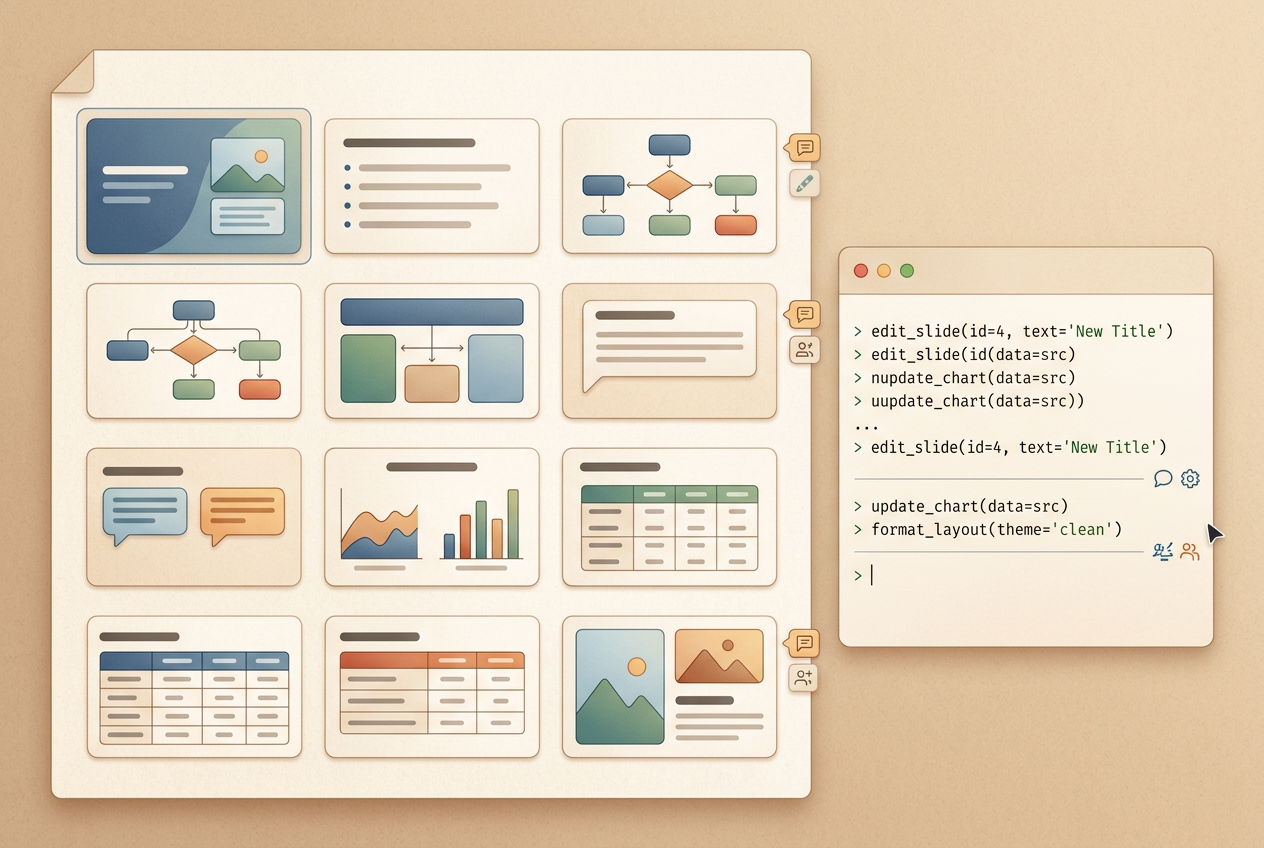
Slidev turns slides into code and Markdown. For agents, this is a friendly representation: searchable, reusable, versionable, and easy to preview. It is especially good for engineers and researchers who want code blocks, diagrams, animation, and browser-based presentation.
I also hit Slidev’s rough edges: page numbers, overview panels, navigation controls, mouse interactions, PDF export, and precise asset placement. It is more agent-friendly than PPTX, but not layout-free. My current positioning is: Slidev is excellent for code-first technical decks, especially when the audience accepts web or PDF slides.
Where Beamer fits
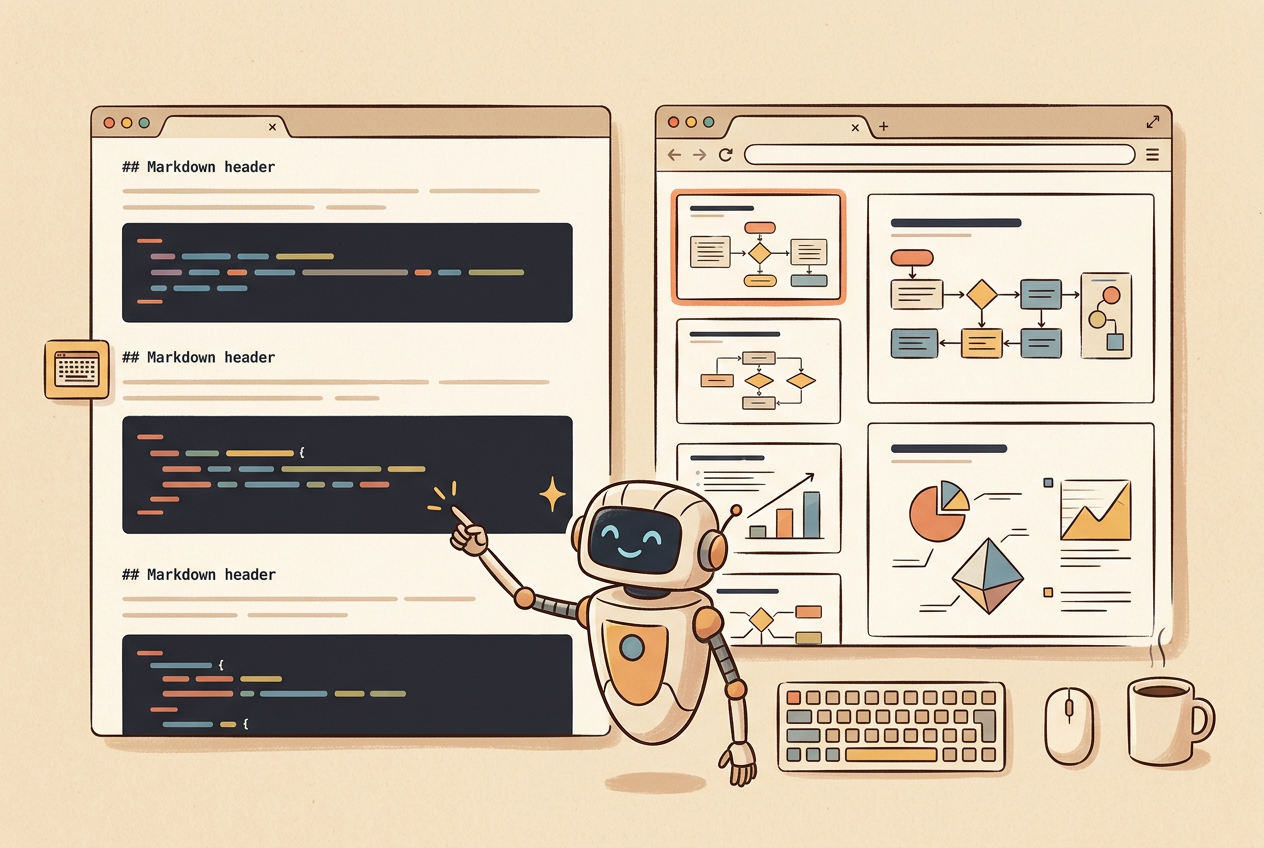
Beamer is not my primary recommendation for this technical presentation deck, but it has a clear place: formal, rigorous, academic, PDF-first presentations. Thesis defenses, seminars, algorithm reports, and formula-heavy talks are good fits. Beamer is versionable, reproducible, and structurally stable. Its downside is that visually heavy pitch decks with screenshots and commercial evidence can become expensive to tune.
In this experiment, I generated a Beamer prototype from the Chinese Slidev draft and the PPTX assets. It showed me that simply re-layouting content in Beamer creates a new deck, rather than reconstructing the original material. If I wanted to use Beamer for PPT reconstruction, I would need either an asset-paste approach or a more deliberate editable rebuild.
The workflow I would use now
If I had to summarize an agent-native slide workflow, it would be:
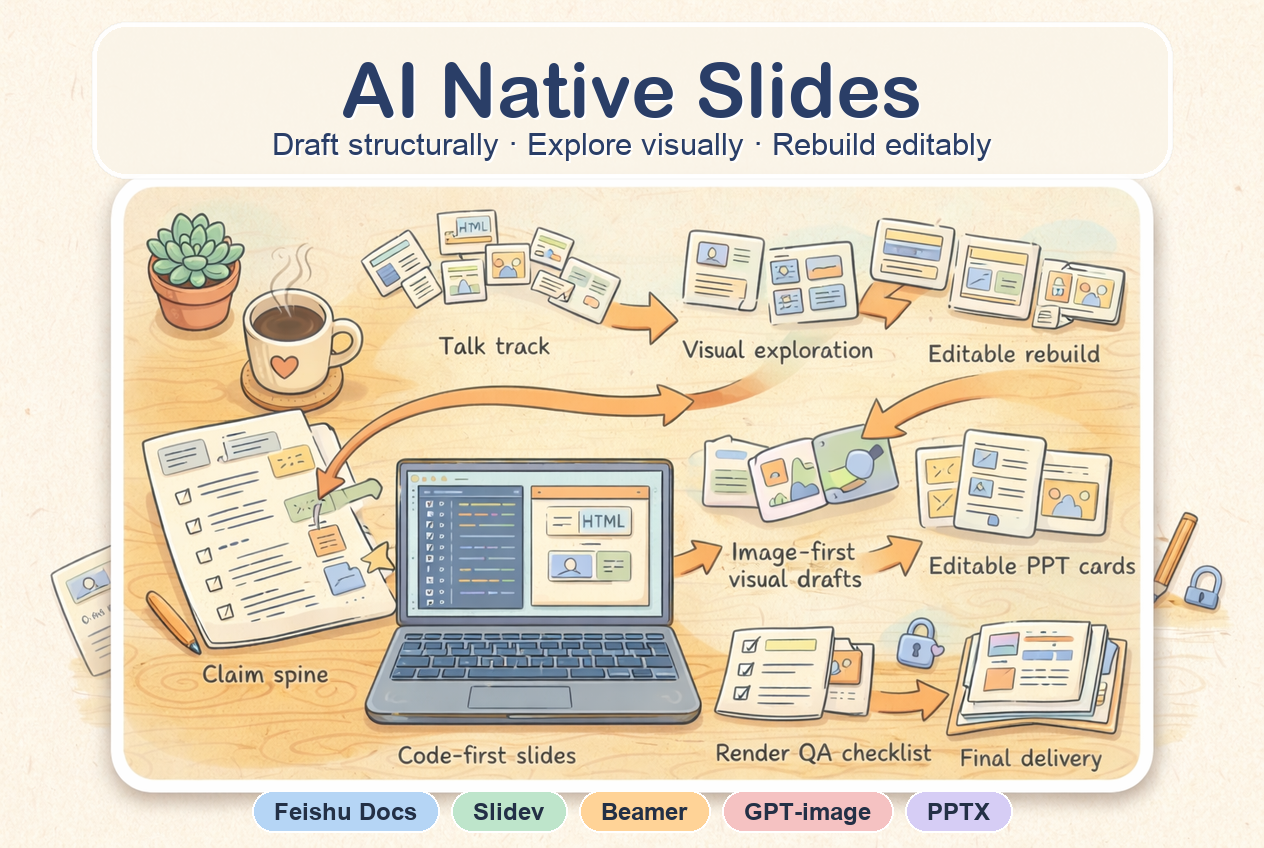
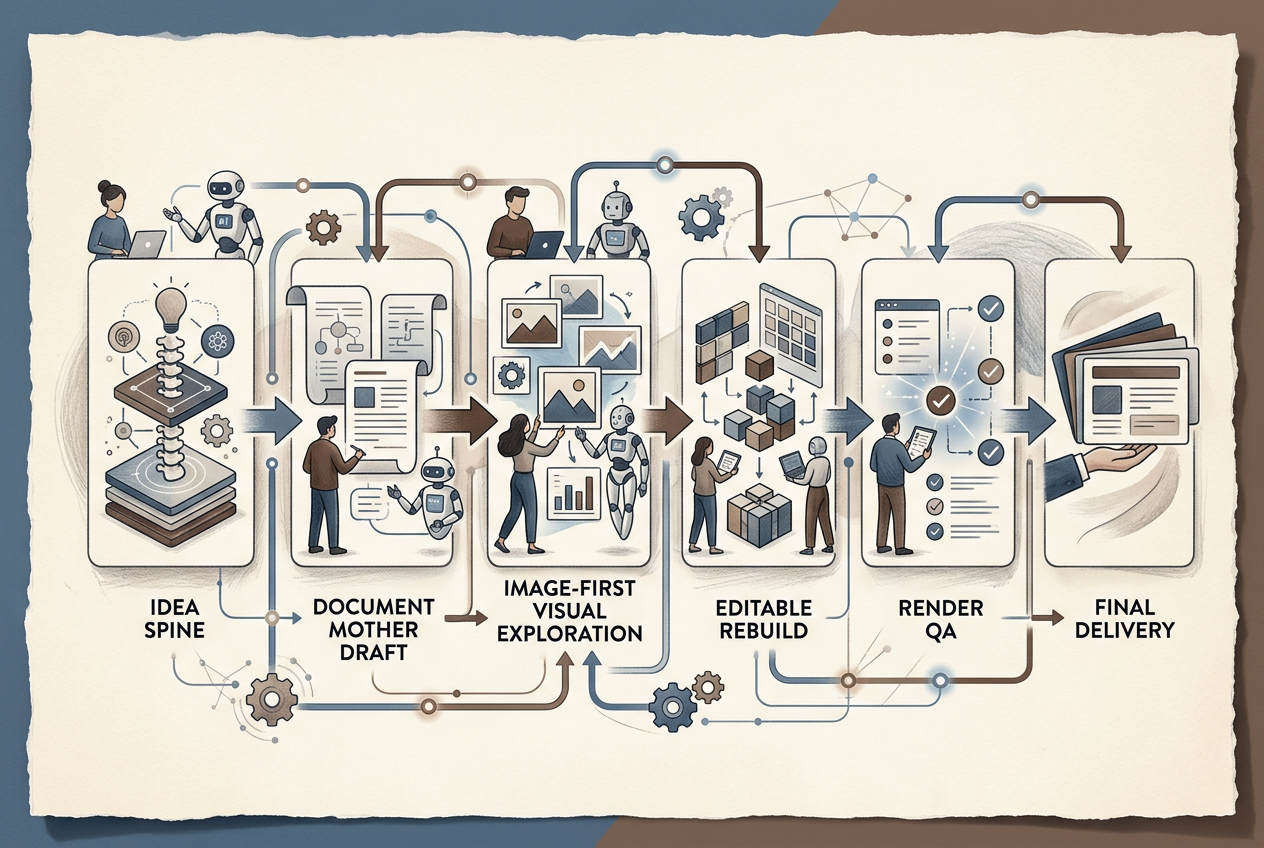
claim spine → talk track → document mother draft → visual exploration → editable rebuild → render QA → final PDF / PPTX delivery.
- Claim spine: decide what each slide needs to prove before choosing a template.
- Talk track: write two or three sentences for how each page will be spoken.
- Document mother draft: use Feishu Docs or Markdown to hold the full logic, evidence, and assets.
- Visual exploration: use image-first drafts to explore style and layout families quickly.
- Editable rebuild: once the story is stable, rebuild into Slidev, PPTX, Beamer, or Feishu Slides.
- Render QA: check page numbers, fonts, crops, PDF export, hidden slides, and cross-device display.
- Final delivery: present with PDF / PPTX; share the document link for follow-up evidence.
Final recommendation
If you are preparing technical material, a technical report, or a research presentation, I would choose like this:
| Scenario | Recommended route | Why |
|---|---|---|
| Interview mother draft, talk track, evidence chain, asset pool | Feishu Docs + lark-cli | Best for human-agent maintenance: it can hold logic, assets, whiteboards, tables, screenshots, and local block updates. |
| Technical slides, web presentation, engineering iteration | Slidev | Markdown / HTML / CSS are agent-friendly, versionable, and easy to preview. |
| Formal academic talk, defense, PDF-first presentation | Beamer | Rigorous, reproducible, and good for formulas and academic structure. |
| PowerPoint ecosystem collaboration | Export or rebuild PPTX at the end | PPTX is useful for compatibility, but expensive as an early-stage working format. |
| Fast visual style exploration | Image-first draft | Great for seeing the deck’s overall visual tone, but costly to maintain once text is baked in. |
| Core belief | Meaning |
|---|---|
| Good slides are no longer just a file | They are an expression system: claims, talk track, assets, visual system, editable version, and final delivery. |
| The agent’s value is not one-click PPTX generation | The real value is helping throughout the workflow: structuring ideas, collecting assets, drafting visuals, checking renders, and rebuilding editable versions. |
| The final goal is presentable, editable, and deliverable | The deck should control the live narrative, support local edits, and export reliably to PDF / PPTX / web slides. |
Companion skill repository
I also distilled this workflow into a small agent skill repository: OpenCodexLabs/ai-native-slides. The blog is the practice note; the repository is the reusable route-selection and production checklist for agents.